
.png)
Description
Download BookRead AI – AI‑Powered Reading Companion, Free & Secure
Overview: Transform the Way You Read
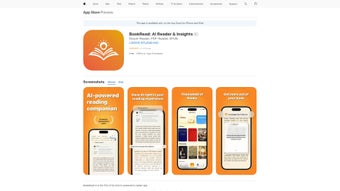
BookRead AI is an innovative web‑based application that brings artificial intelligence directly into the reading workflow. Whether you are a student dissecting dense academic prose, a professional skimming industry reports, or a casual reader wanting deeper comprehension, BookRead AI offers a suite of tools that simplify complex language, reinforce retention, and keep you engaged with any text. The core engine works in real time: select any passage, and the AI instantly generates a clear, jargon‑free explanation, eliminating the need to open a separate dictionary or search engine. A built‑in recap feature remembers where you left off, allowing you to resume reading without losing context. For long‑form content, the platform automatically creates flashcards that capture key insights chapter by chapter, while targeted questions highlight crucial concepts, turning passive reading into active learning. Additional utilities like “Reword” and “Define” let you experiment with alternative phrasing or drill down into precise definitions, and the auto‑detect intent module intelligently predicts what help you might need next. All of this is delivered through a clean, responsive interface that works on any modern browser, making BookRead AI a truly universal reading assistant. Because it runs in the cloud, updates are seamless, security is baked in, and you never have to worry about compatibility issues or manual installations.
Features & How to Use BookRead AI
Getting started with BookRead AI is as simple as visiting the website and creating a free account. The onboarding wizard walks you through the main toolbar, explaining each button and shortcut. Once you’re inside, you can paste text, upload a PDF, or simply copy‑paste a passage from any web page. The AI immediately analyses the selected segment and offers the following core features:
- Instant Explanation: Highlight any sentence or paragraph and receive a concise, plain‑language summary that demystifies complex terminology.
- Reword & Define: Switch between alternative phrasings or request a precise definition of a highlighted term without leaving the page.
- Recap & Context Preservation: The tool remembers your last read position and provides a brief recap when you return, ensuring you stay oriented in long documents.
- Automatic Flashcards: After each chapter, BookRead AI generates digital flashcards that capture the main ideas, perfect for quick revision.
- Chapter Highlights & Questions: AI‑crafted questions appear at the end of each section, prompting you to reflect and reinforce learning.
- Auto‑Detect Intent: The system predicts whether you might need a definition, a reword, or a deeper dive, and proactively offers assistance.
- Customizable Themes: Choose between light, dark, or sepia modes to reduce eye strain during extended reading sessions.
- Secure Cloud Sync: Your notes, flashcards, and reading history are stored encrypted on the cloud, accessible from any device.
Step‑by‑step usage guide:
- Visit bookread.ai and click “Sign Up” – you can register with email or social login.
- After confirming your email, log in and land on the dashboard where you’ll see “New Document” and “Upload PDF”.
- Paste or upload your text. The AI automatically scans the content and highlights sentences that may benefit from clarification.
- Hover over any highlighted segment; a tooltip appears with options: “Explain”, “Reword”, “Define”. Click the desired action.
- When you finish a chapter, click “Generate Flashcards”. The AI compiles a set of cards you can review, export, or test yourself with.
- Use the “Recap” button at any time to get a summary of the last 5 minutes of reading, helping you jump back in smoothly.
- Customize your reading experience via the settings gear – adjust font size, line spacing, and theme.
- All changes sync automatically. Return on another device and pick up exactly where you left off.
Because BookRead AI runs entirely in the browser, there is no heavy download or installation required. The platform is built on modern WebAssembly and JavaScript, ensuring fast response times even on modest hardware. Updates are deployed server‑side, so you always benefit from the latest AI models without manual intervention. The user‑friendly design means you can focus on comprehension rather than fiddling with settings, making it a powerful ally for students, researchers, and lifelong learners alike.
Compatibility & System Requirements
BookRead AI is a web‑first solution, which translates into exceptional cross‑platform compatibility. Since it runs in any standards‑compliant browser, you can access the full feature set on Windows, macOS, Linux, as well as mobile operating systems like Android and iOS. The only prerequisite is an internet connection, as the AI processing happens on remote servers.
Supported browsers: Google Chrome (latest 2 versions), Mozilla Firefox, Microsoft Edge, Safari (macOS & iOS), and Chromium‑based browsers on Android. For the best experience, enable JavaScript and allow cookies – they are required for session handling and cloud sync.
Hardware recommendations: A modern processor (Intel i5 / AMD Ryzen 5 or newer) and at least 4 GB of RAM will provide smooth operation, though the platform will also run on older machines with reduced performance. For mobile use, any device released within the last five years that supports the above browsers will work flawlessly.
Because the service is hosted in the cloud, there is no need for local storage beyond temporary caching. All your reading data, flashcards, and preferences are encrypted at rest using AES‑256, and data transmission employs TLS 1.3, guaranteeing a secure environment. If you operate behind a corporate firewall, ensure that ports 443 (HTTPS) are open; no additional ports are required.
In summary, BookRead AI offers a truly platform‑agnostic experience: you can start a study session on your Windows desktop, continue on a macOS laptop, and finish on an Android tablet—all without losing any progress. This flexibility is a major advantage for students and professionals who switch between devices throughout the day.
Pros and Cons of BookRead AI
Pros
- Instant, AI‑driven explanations eliminate the need for separate dictionaries.
- Automatic flashcard generation speeds up review and improves retention.
- Cross‑platform web app works on Windows, macOS, Linux, Android, and iOS.
- Secure cloud sync keeps your notes and progress safe and accessible.
- Customizable reading themes reduce eye strain during long sessions.
- No installation required; updates are seamless and server‑side.
- Free tier available with generous usage limits for casual readers.
Cons
- Reliance on an internet connection; offline mode is not currently supported.
- Advanced AI features (e.g., bulk document analysis) are limited to paid plans.
- Some users may experience slight latency on slower connections due to cloud processing.
- Flashcard customization is basic; power users might desire more formatting options.
- Privacy‑focused users should review the data policy, as text is processed on remote servers.
Frequently Asked Questions
Is BookRead AI completely free to use?
BookRead AI offers a robust free tier that includes unlimited explanations, flashcard generation for up to three documents per month, and cloud sync. Premium plans unlock higher usage limits, bulk document processing, and advanced customization options.
Can I use BookRead AI offline?
Currently the AI processing is performed on remote servers, so an active internet connection is required. The development team has indicated that an offline mode may be considered in future updates.
How does BookRead AI protect my data?
All user data is encrypted in transit with TLS 1.3 and stored at rest using AES‑256 encryption. The platform complies with GDPR and CCPA standards, and you can delete your account and all associated data at any time from the settings menu.
Which browsers are officially supported?
BookRead AI works best on the latest versions of Chrome, Firefox, Edge, and Safari. Any modern browser that supports JavaScript, WebAssembly, and cookies will provide full functionality.
Can I import my own flashcards or export them?
Yes. Generated flashcards can be exported as CSV or JSON files for use in other spaced‑repetition apps. Importing external decks is currently limited to CSV format and is available in premium subscriptions.
Conclusion: Is BookRead AI Right for You?
In a world where information overload is the norm, having an intelligent companion that clarifies, summarizes, and reinforces what you read can make a profound difference. BookRead AI delivers precisely that: a seamless, AI‑driven experience that turns passive reading into active learning. Its instant explanations, automatic flashcards, and cross‑device sync address the core pain points of comprehension and retention without forcing you to juggle multiple apps. While the need for an internet connection and some feature limits on the free tier are worth noting, the overall value proposition is strong—especially for students, researchers, and professionals who regularly engage with dense material.
If you’re looking for a secure, platform‑agnostic tool that boosts reading efficiency and helps you remember what you’ve learned, BookRead AI is a compelling choice. Start with the free plan, test the AI explanations on a challenging article, and see how the flashcard generator reinforces your study routine. When you’re ready for higher limits and extra customizations, the premium upgrade is a modest investment for the productivity gains you’ll enjoy.
Ready to read smarter? Download BookRead AI now and experience the future of reading—free, secure, and powered by AI.
Guides & Tutorials for BookRead AI
How to install BookRead AI
- Click the Preview / Download button above.
- Once redirected, accept the terms and click Install.
- Wait for the BookRead AI download to finish on your device.
How to use BookRead AI
This software is primarily used for its core features described above. Open the app after installation to explore its capabilities.
User Reviews for BookRead AI 0
No reviews found




